

No products in the basket.

LIL Mentor
Details

€0,00
Free download. A production mentor inside Ableton Live.
Max for Live device · Ableton Live 11 or 12 Suite, or Live Standard with Max for Live · macOS & Windows
Need help? See Support.
What people say
No reviews yet. Be the first to review LIL Mentor.
- Made by Camiel Daamen, Ableton Certified Trainer, 25+ years of producing
- Free 30-day trial: try it before you buy
- One serial for up to 3 of your computers, Mac and Windows
- Trusted by 500+ Lessons in Live students
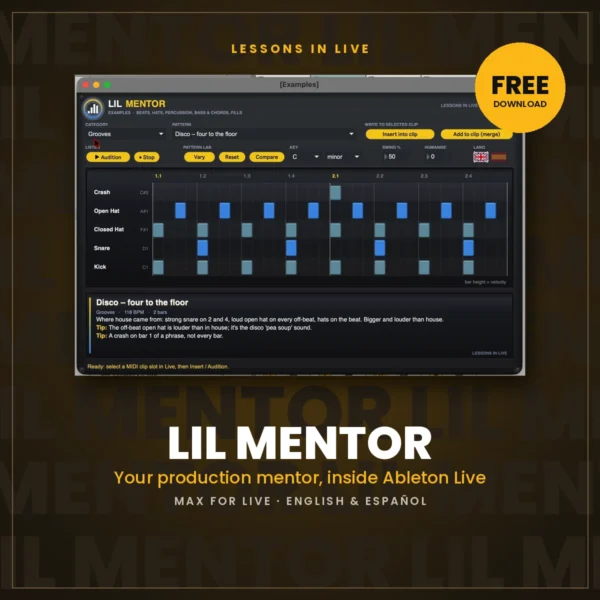
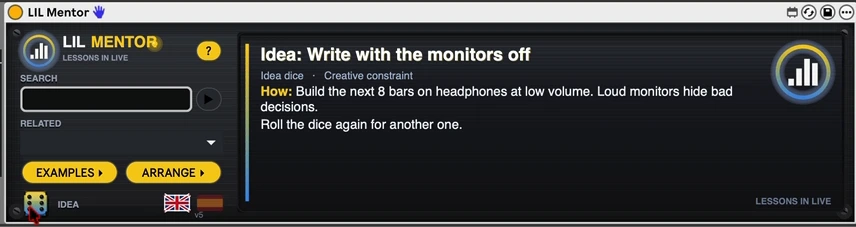
LIL Mentor is a Max for Live device that puts a music-production mentor inside Ableton Live. Drop it on any track and it explains whatever you click (tracks, devices, knobs, Solo/Mute/Arm, sends, faders, inputs and outputs, clip slots) in plain words, with a tip. It comes with a searchable glossary of 130+ production terms, an EXAMPLES window with ready-made drum, hi-hat, percussion, fill, bass and chord patterns you can audition, write into a clip and compare against your own programming, an ARRANGE window with arrangement templates and a reference-track analyser, an IDEA dice for when you’re stuck, and (new in 1.2) a KEY check that finds the key of your song and fixes tracks that are out of key. Fully bilingual, English and Spanish.
Check the key of your set NEW IN 1.2
- Open the KEY window and press SCAN SET. LIL Mentor reads every track (MIDI note by note, audio with a pitch tracker) and finds the key of your song. Chords count more than one-note parts.
- For every track you see its key and whether it fits, is unsure, is out of key or uses a mode (like A Dorian or E Phrygian), plus which 8-bar sections stray.
- It suggests the fix: how many semitones to transpose (with alternatives), or how many cents for detuned audio.
- Apply the fix to one track or Fix all at once, after a confirmation. Live’s normal undo takes it back.
- In Live 12 it can set Live’s key and scale to the result. Got a wrong result? Press “Report wrong key” so detection keeps improving.
Ask it anything about Live
- Press HELP, type a question like “Why is my automation grey?” or “Which record button do I use?”, or pick a topic from the list.
- You get the answer in plain words, with clear steps and a tip.
- A live checklist looks at your set and shows what’s missing, like an overridden automation lane or a transport that isn’t running, and turns green when it’s fixed.
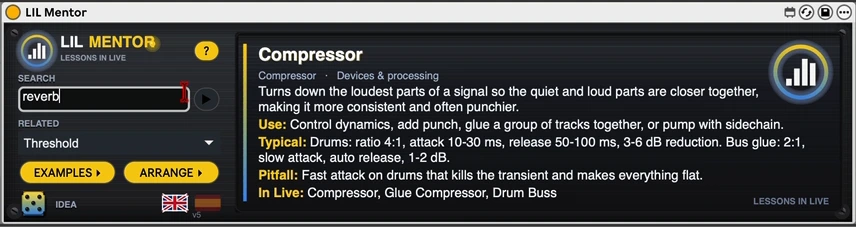
Explains what you click
- Explains the selected track, device, parameter, Solo / Mute / Arm, Monitor, sends, the volume fader and dB scale, audio and MIDI in/out, clip slots and scenes.
- Search any term (compressor, sidechain, LUFS, polymeter…), with aliases and partial matches.
- “Related terms” to explore a topic further.
- IDEA dice: 60 creative prompts, like resampling an element, recording your own vocal or trying polymeters.
- Press ? for the built-in manual, with teaching tips.
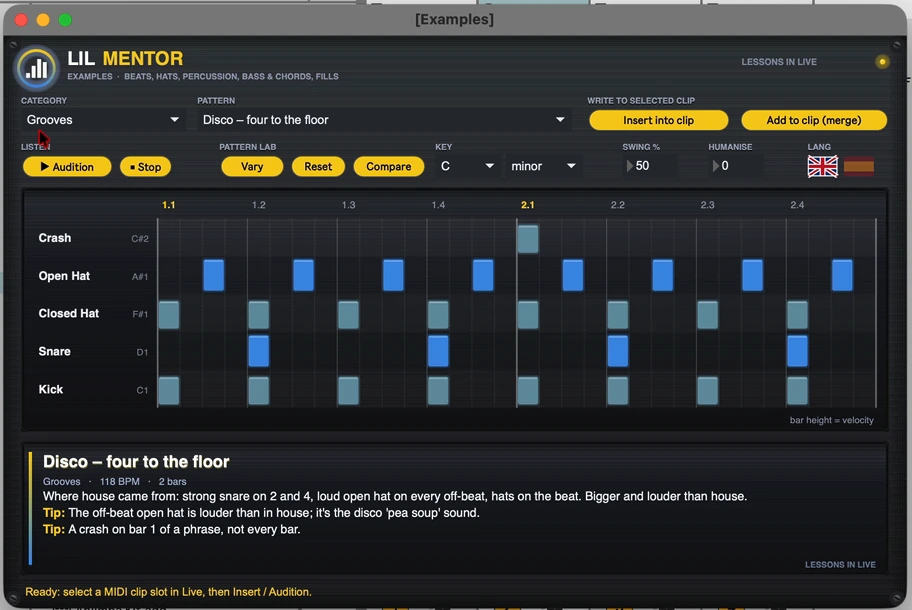
Learn patterns by example
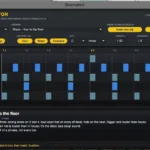
- 39 patterns in 5 categories: grooves (house, breakbeat, afro, techno…), hi-hats, percussion, fills, and bass & chords.
- Piano-roll view with velocities, plus an explanation and tips for every pattern.
- Insert into a clip, or add to it: LIL Mentor writes straight into the selected MIDI clip.
- Audition a pattern on your own kit without touching your clips. Vary it, or reset it.
- Compare grades your clip against the example: missing or extra hits, velocity and swing.
- Key and scale for bass and chord patterns, Swing % and Humanise.
- Works with Live’s own 808 and 909 kits and any Drum Rack in the standard layout.
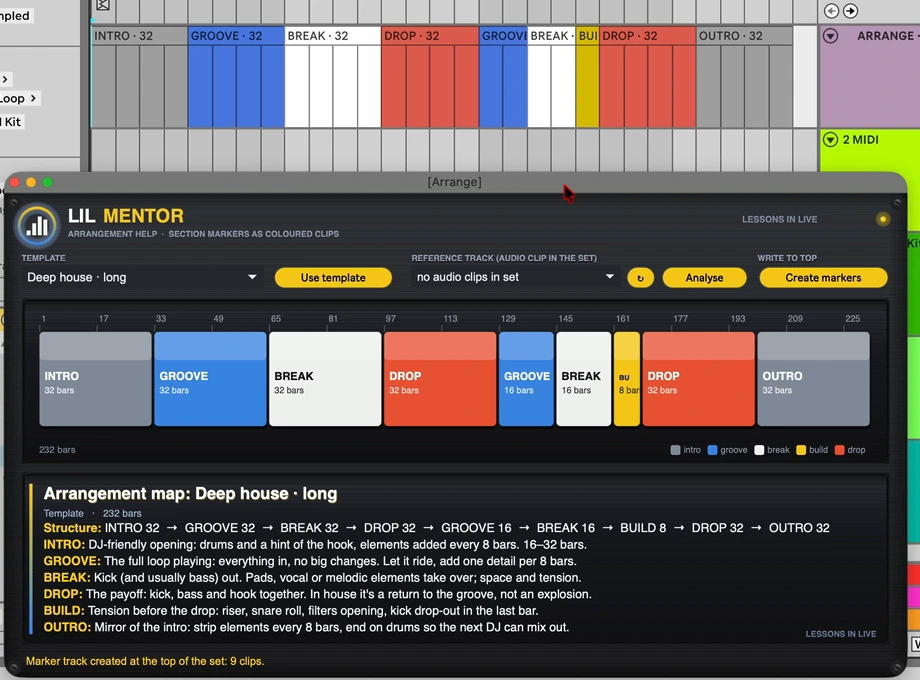
Arrange like the pros
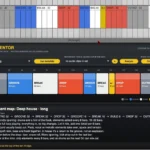
- Arrangement templates: club house, deep house, techno tool, radio edit and afro house.
- Reference-track analyser: pick an audio clip in your set and it finds the intro, groove, build, drop, break and outro.
- Create markers paints colour-coded sections on a MIDI track at the top of your Arrangement, so you can arrange against it.
Made for students and teachers
LIL Mentor is the tool Camiel Daamen, Ableton Certified Trainer, uses in his own Ableton lessons. Compare and the manual’s teaching tips are built for the classroom: students learn by doing, and get feedback on their own programming.
Requirements
- Ableton Live 11 or 12 Suite, or Live Standard with the Max for Live add-on. Live Intro and Lite can’t run Max for Live devices.
- macOS or Windows.
- Audio passes through untouched, so it can sit on any track or on the Main track.
Install
- Unzip. You get a folder called LIL Mentor.
- Move the whole folder to the Max Audio Effect folder in your User Library (keep the folder together):
- Mac:
~/Music/Ableton/User Library/Presets/Audio Effects/Max Audio Effect/ - Windows:
C:\Users\<name>\Documents\Ableton\User Library\Presets\Audio Effects\Max Audio Effect\
Moved your User Library? Live shows where it is under Settings › Library (Preferences › Library in Live 11).
- Mac:
- In Live’s browser, go to User Library › Presets › Audio Effects › Max Audio Effect › LIL Mentor and drag LIL Mentor.amxd onto any track.
- Click anything in Live and the screen explains it. Press ? for the manual.
FAQ
Do I need Max for Live? Yes. Live Suite includes it; Live Standard needs the Max for Live add-on. Live Intro and Lite can’t run it.
Does it change my sound? No, audio passes through untouched.
Does it work with my own drum kits? Yes, as long as the Drum Rack uses the standard layout (kick C1, snare D1, closed hat F#1…). Live’s 808 and 909 kits work straight away.
Is it in Spanish? Yes, completely. Click the flag on the device.
Does it phone home? At startup it downloads one small version file from lessonsinlive.com, so it can tell you when an update is out. It only sends something if you switch on “Help improve LIL Mentor” inside the device. Then it sends the question text and your 👍/👎, nothing else: no account, no e-mail, no audio. It’s off by default and you can switch it off any time.
¿Envía datos? Al arrancar descarga un pequeño archivo de versión de lessonsinlive.com para avisarte de actualizaciones. Solo envía algo si activas “Help improve LIL Mentor” en el dispositivo. Entonces envía el texto de la pregunta y tu 👍/👎, nada más: sin cuenta, sin e-mail, sin audio. Está desactivado por defecto y puedes apagarlo cuando quieras.
What does the KEY check do? It reads every track, tells you the key of your song and which tracks (or which bars) are out of key, and offers the transposition that fixes them: one track or all, with a confirmation and Live’s normal undo. For audio tracks the key is a strong suggestion, not a certainty, so it also shows alternatives.
Can I add my own terms? Not yet, but it’s on the list.
Updates? Free updates for 1.x: download the new version from your account.
Tip: want sounds to go with the patterns? Try Driftwood, a warm, hands-on synth for Ableton Live, or grab the free LIL MIDI Pack with 144 house patterns.
Lessons in Live courses
Learn Ableton Live with the teacher behind LIL Mentor
Learn to make your own tracks in Ableton Live with Camiel Daamen, Ableton Certified Trainer with 25+ years in house music. Online courses, live group courses (Beginners and Intermediate) and private lessons.
SHARE THIS PRODUCT: